Masonry estimating software built block-by-block.
From the first wall you place, TMM knows where the corners are and what kind of block to lay. This masonry estimating software counts halves, cuts, bond beams, lintels, and sills as you draw. You shouldn't have to tell it.
Anyone can render a flat wall. The lintel is where the math breaks down everywhere else — courses above the opening have to land right, the bond has to step clean across the header, and the bearing courses have to interlock back into the corner. No fudge. No fake.
One screenshot. One real job. Keep this image in mind.
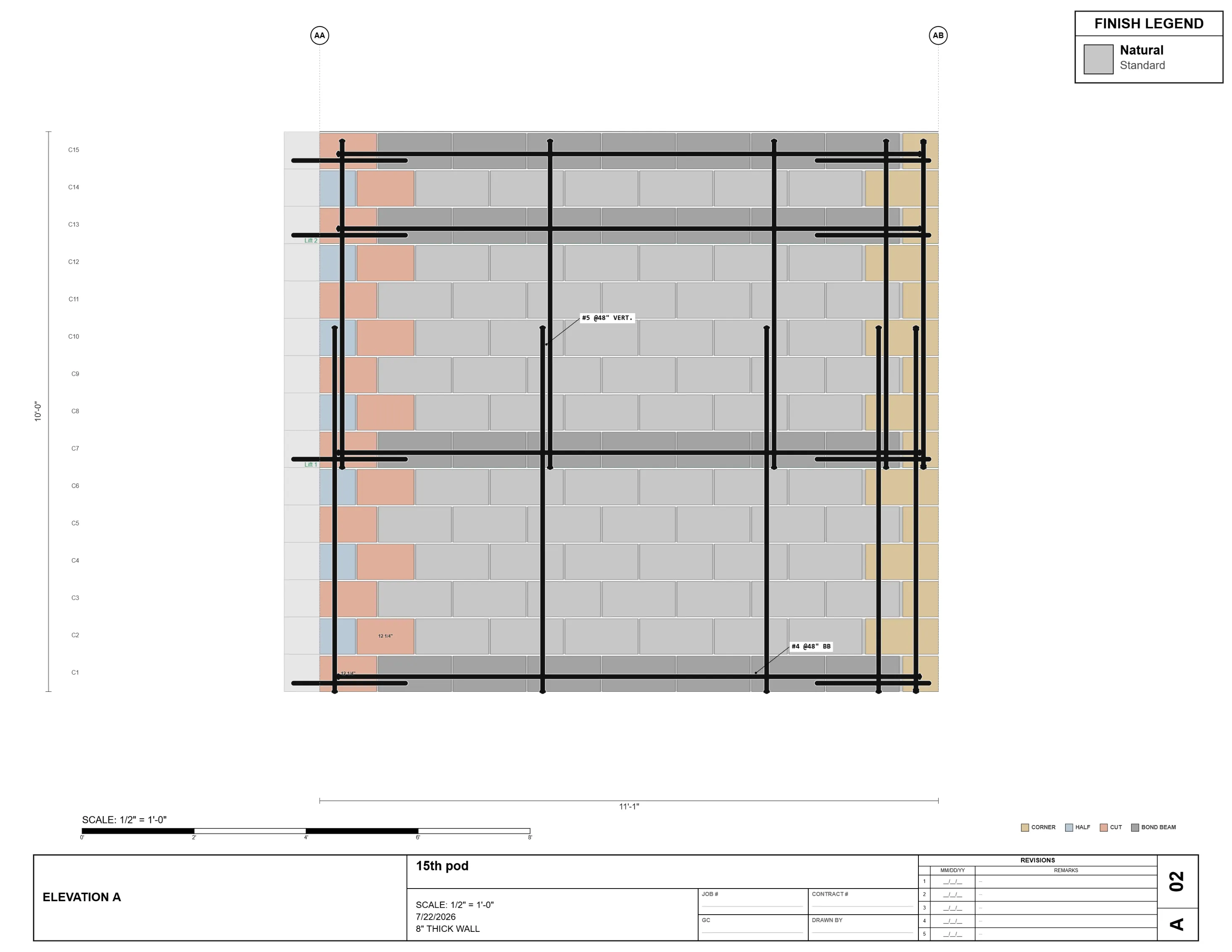
Same screenshot. Look at the gray course running through the wall — bond beam — and watch what happens when it hits the corner. It wraps. Continuous rebar path, proper lap, the right development length. And the corner block still counts as a corner block. Special unit. Separate line item.
Most engines pick one. The math is right or the count is right. Not both.
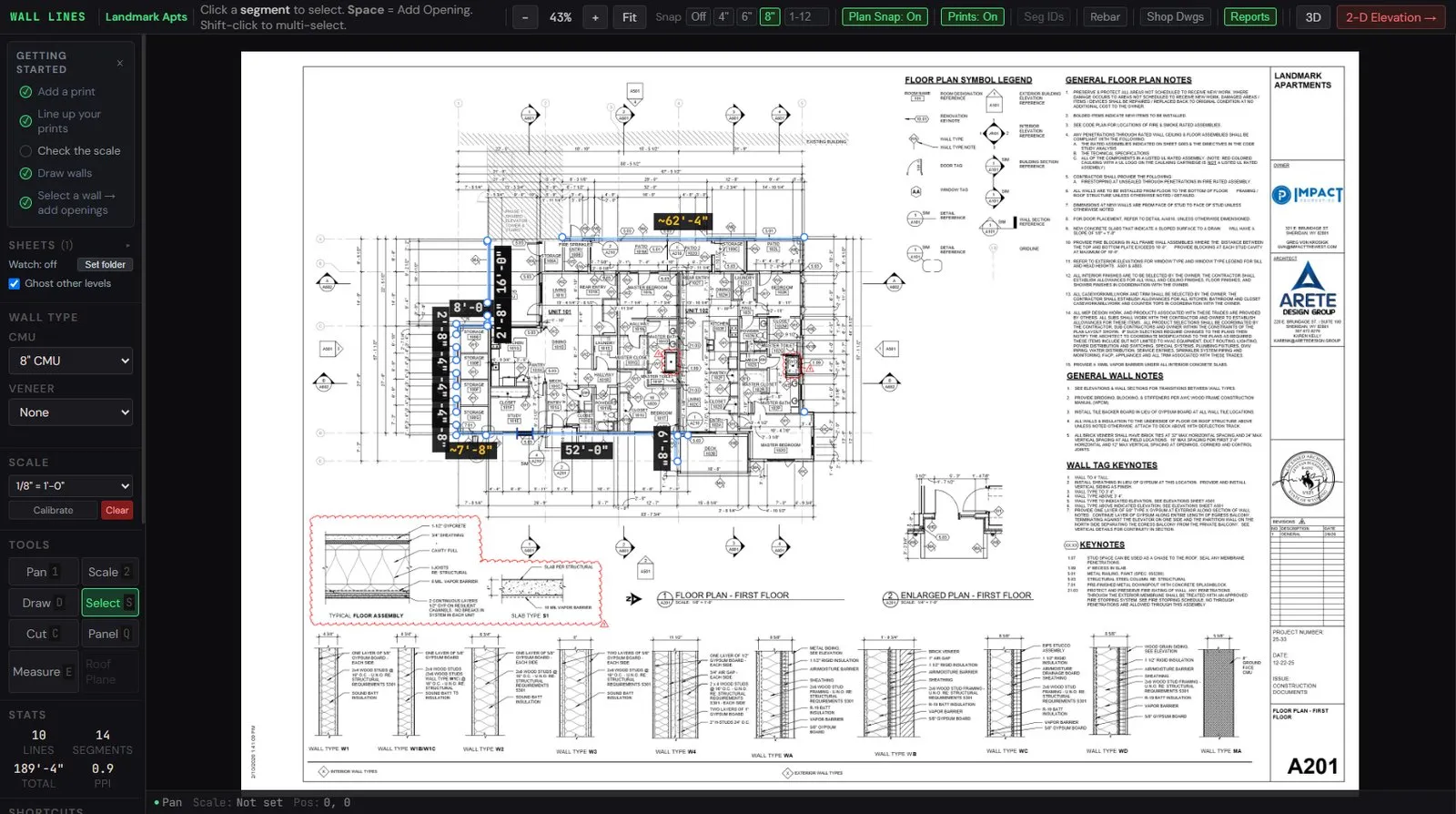
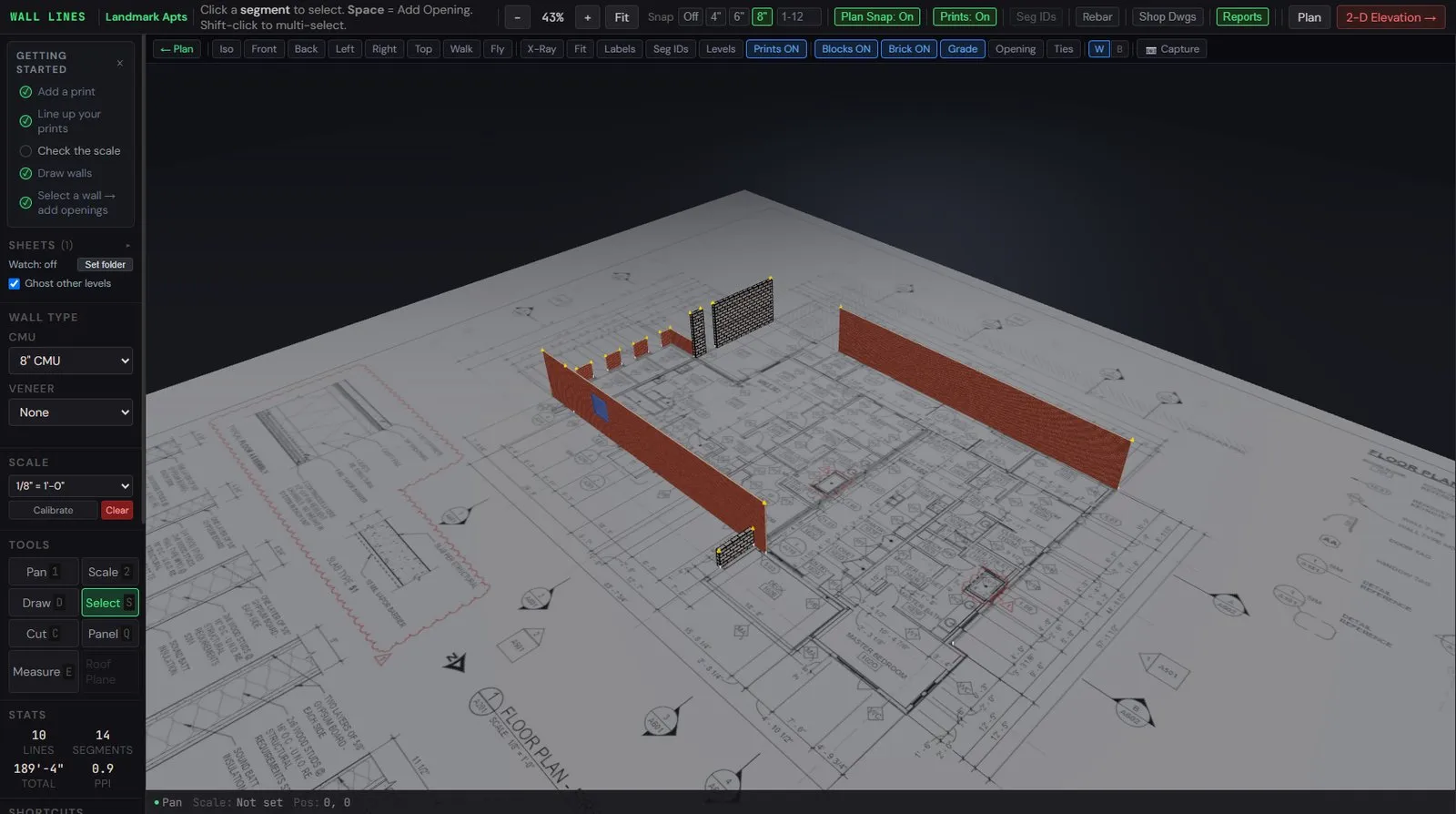
Three minutes. Blank canvas to bonded model — corners, bond beams, lintels, the takeoff. Same building you've been looking at this whole page. No fast cuts, no edits, no slide deck. The geometry happens as I draw.
If you've ever sat in a takeoff meeting watching someone count blocks off a printout, this is what you're replacing.
No butt joints unless you tell me otherwise. Inside, outside — the corner is just what happens when the bond is right. Not a special case bolted on top.
The leg moves 8" every course — same as the bond. You won't catch a 4" cut sitting out in the field on my walls.
296" = 18.5 blocks × 16" exactly. That's the modular number. Drag me to override. I'll never auto-place one within 16" of a corner.
Set the schedule from the structural drawings. Courses snap. I extend dev-length past openings. Weight reported in pounds, not just LF.
Wall's not modular 8"? I generate the half-high at top or bottom and break it out as its own line item. Counted, weighted, priced — not buried in waste factor.
If the layout would force it, I absorb into adjacent joints or shift the cut to the next valid position. By design. You won't talk me into a sliver.
Separate line items, the way the supplier ships them and the way your crew lays them. I'm not going to lie to your takeoff.
Click any block, change the type, the takeoff updates. I won't argue. You've been on the wall longer than I have.
Corners interlock by default — inside and outside. The bond runs through the corner. No butt joints unless overridden. The corner is a consequence of the bond, not a special case bolted on top.
Non-modular leftover absorbs into the corner. The leg moves 8 inches every course — same as the bond. No 4-inch cut exposed in the field.
Control joints default to 24 feet 8 inches — 296 inches, which is 18.5 blocks times 16 inches exactly. This is the modular spacing. Drag to override. Control joints are never auto-placed within 16 inches of a corner.
Rebar drives bond beams. Set the rebar schedule from the structural drawings and courses snap to match. Development-length extension past openings is automatic. Weight is reported in pounds, not just linear feet.
Yes. When a wall is not modular to 8 inches, the engine generates the half-high course at top or bottom and adds it as its own line item. Counted, weighted, and priced separately — not buried in a waste factor.
No. If a layout would force a cut under 4 inches, the engine absorbs the leftover into adjacent joints or shifts the cut to the next valid position. By design.
10-inch and 12-inch CMU corners use an 8-inch block plus a face shell spacer — listed as separate takeoff line items, the way the supplier ships them and the way the crew lays them.
Yes. The engine is right about 90 percent of the time. The mason is right on the other 10 percent. Click any block, change the type, and the takeoff updates. One-click override.